Welvoy for hotels
The guest-facing half gets the attention. The reason a property keeps using Welvoy is the other half: requests that have an owner and a status, and a console a new starter can work on their first shift.
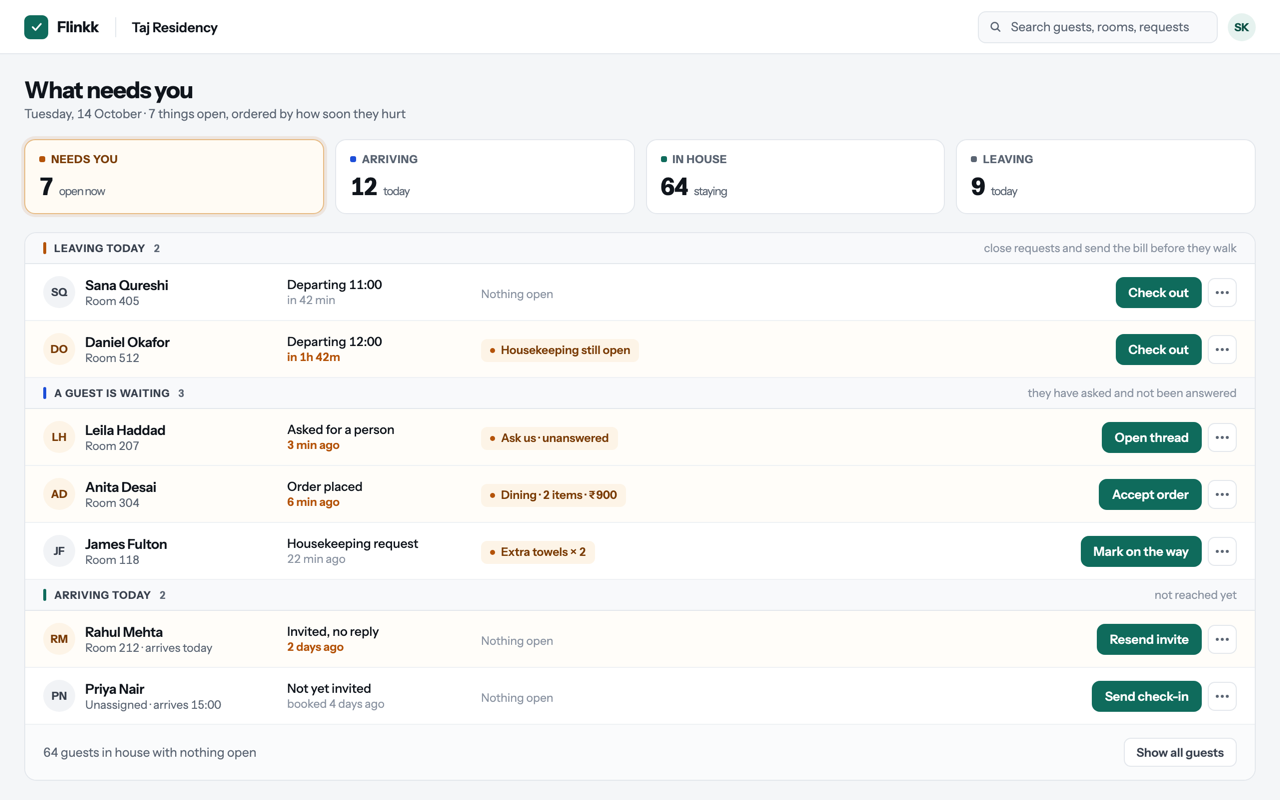
What changes, by team
The same queue, read differently depending on what you are responsible for.
Front desk
Check-in stops being a queue at the counter. Guests arrive already checked in, and requests come in written down with a room attached instead of shouted across the lobby.
Housekeeping
Requests reach the floor with the room, the time and the ask. A status change tells the guest it is handled, so the desk stops fielding follow-up calls.
Food and beverage
In-house orders arrive structured: items, quantities and the guest's notes. Nobody transcribes an order from a bad phone line.
Owner or general manager
One account across properties, with roles that actually separate what a front-desk user can see from what an owner can. Every change is audit-logged.
Governance, because you will be asked
Hotel groups ask these questions during procurement. Here are the answers up front.
Multi-property by design
Properties are first-class. Adding a second hotel does not mean a second account or a second login.
Roles are separated
Owner and front-desk roles see different things and can do different things. It is enforced server-side, not hidden in the interface.
Audit-logged actions
Status changes, checkouts and administrative actions are recorded with who did them and when.
Strict per-hotel data isolation
Guest data belongs to one property. There is no cross-property guest pool and no lookup across hotels you do not operate.
How a rollout actually goes
One property first. Prove it on a real week of arrivals before anyone talks about a group deployment.
Set up the number and the menu
Your WhatsApp Business number is connected and your in-house menu is loaded. The menu is the part that takes a sitting.
Train the desk, not the guests
Guests need no training — they are using WhatsApp. Your front desk needs about half an hour on the console.
Run one property live
Real arrivals, real requests, real orders. You find out in a week whether it fits how your team works.
Add properties
Each new property gets its own data, its own menu and its own users under the same account.
Where we would tell you not to buy
Welvoy is a good fit for properties that already handle requests by phone and want them written down. It is a poor fit if any of the following is true today:
- You need an itemised bill delivered over WhatsApp — that is in development, not shipped.
- You need orders pushed straight into your POS — that is at design stage.
- You need Welvoy to replace a PMS, a channel manager or a payment flow — it does none of those.
Try it on one property
Start with a single hotel and a real week of arrivals.